SUBTITLE STYLING
Subtitle styling
Captions are not just text,
they are part of the picture
Once captions are generated, the size, colour, position, outline and way they appear can all be adjusted. A key word inside a sentence can be enlarged, recoloured or given a background on its own, so it is the first thing a viewer sees. Changes show up live in the preview area, and anything you do not like can be changed back.

Adjust the basic style freely
Size, colour, position and outline can all be adjusted.
Bring out a key word on its own
A few words get larger and change colour while the rest stays as it is.
See the result in the preview
Adjust as you watch, and change anything back at any time.
USE CASES
Whatever the content,
make the main point visible.
The opening of a short video, the details in a product walkthrough, the terms and conclusions in a lesson: caption styling can set them apart.
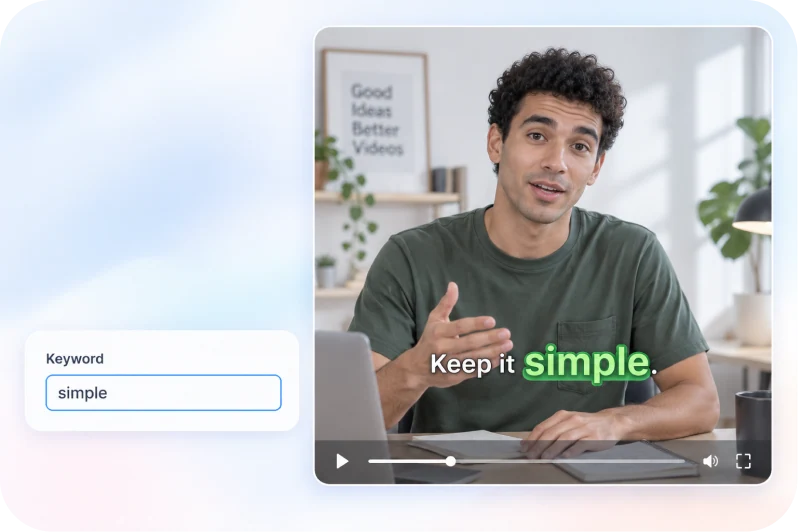
USE CASE 01
Short video and feeds
Enlarge and recolour the key words so viewers know what the video is about in the first two seconds.
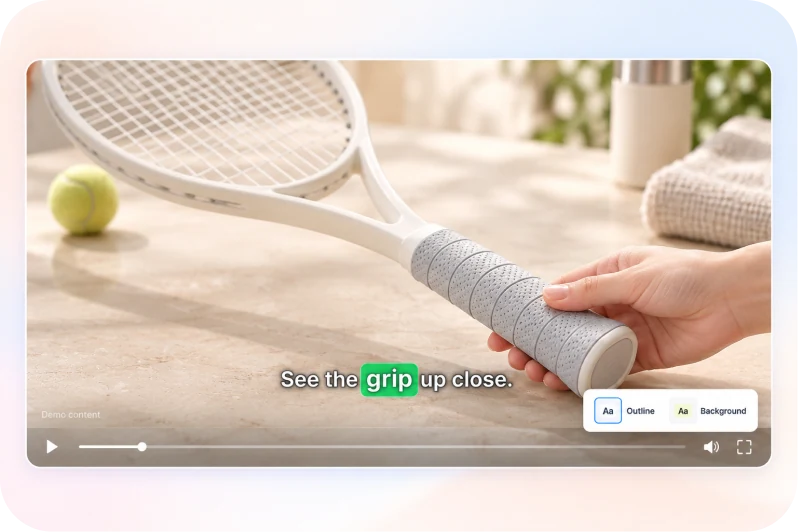
USE CASE 02
Ecommerce and sales videos
Show the price, the selling points and the offer in captions that stand out, so the message reads even without the sound.

USE CASE 03
Knowledge and courses
Set technical terms and conclusions apart with different styles so the main points are easier to remember.
CORE FEATURES
From laying out a whole line
to emphasising a few words.
Positioning keeps captions off the subject, styled text makes the message sharper, and key words pull the eye to the main point.
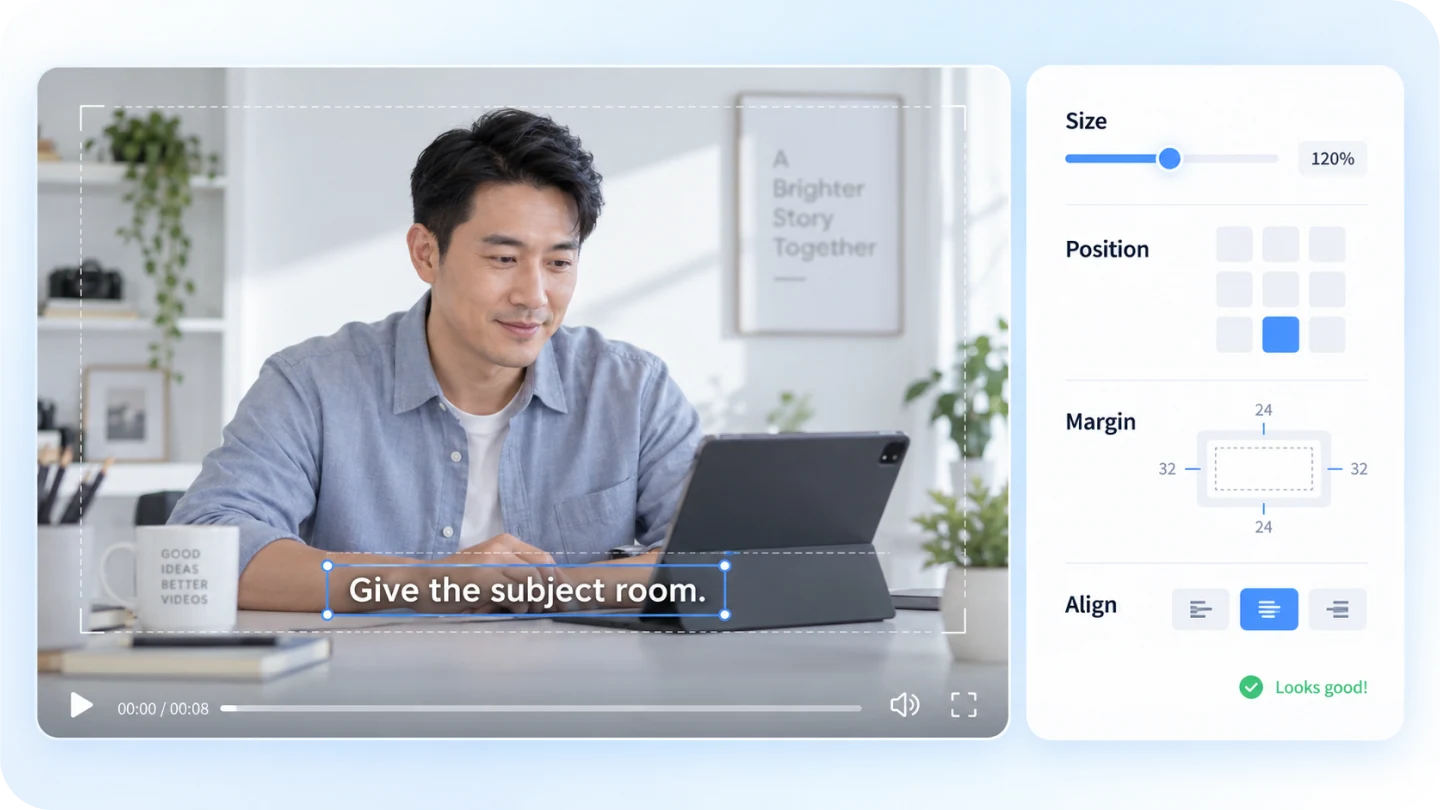
FEATURE 01 / Size and position
Put the captions in the right place
without covering the main subject.
Caption size, position, margins and alignment can all be adjusted to avoid the subject in the frame and the areas platform interfaces occupy.
- Adjust size, margins and alignment
- Avoid the subject and the platform interface
- Preview the result as you adjust
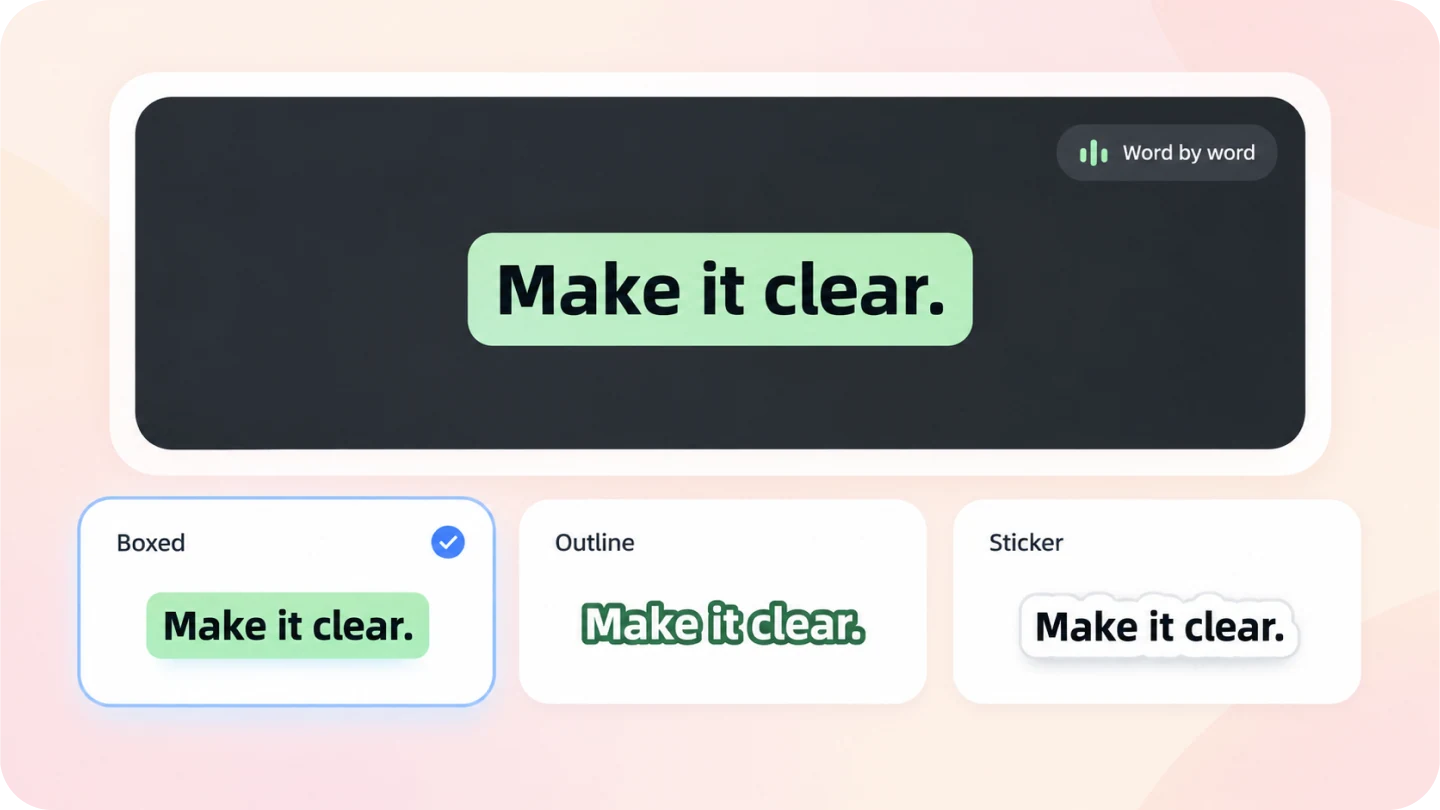
FEATURE 02 / Styled text
The same sentence,
a different way of arriving.
Give a sentence a background, an outline, stickers or word-by-word animation so the key line stands out from the picture.
- Apply a ready-made style, then adjust the details
- Backgrounds, outlines and stickers
- Word-by-word animation that keeps up with the speech
FEATURE 03 / Key word emphasis
Inside a sentence,
let the main point be seen first.
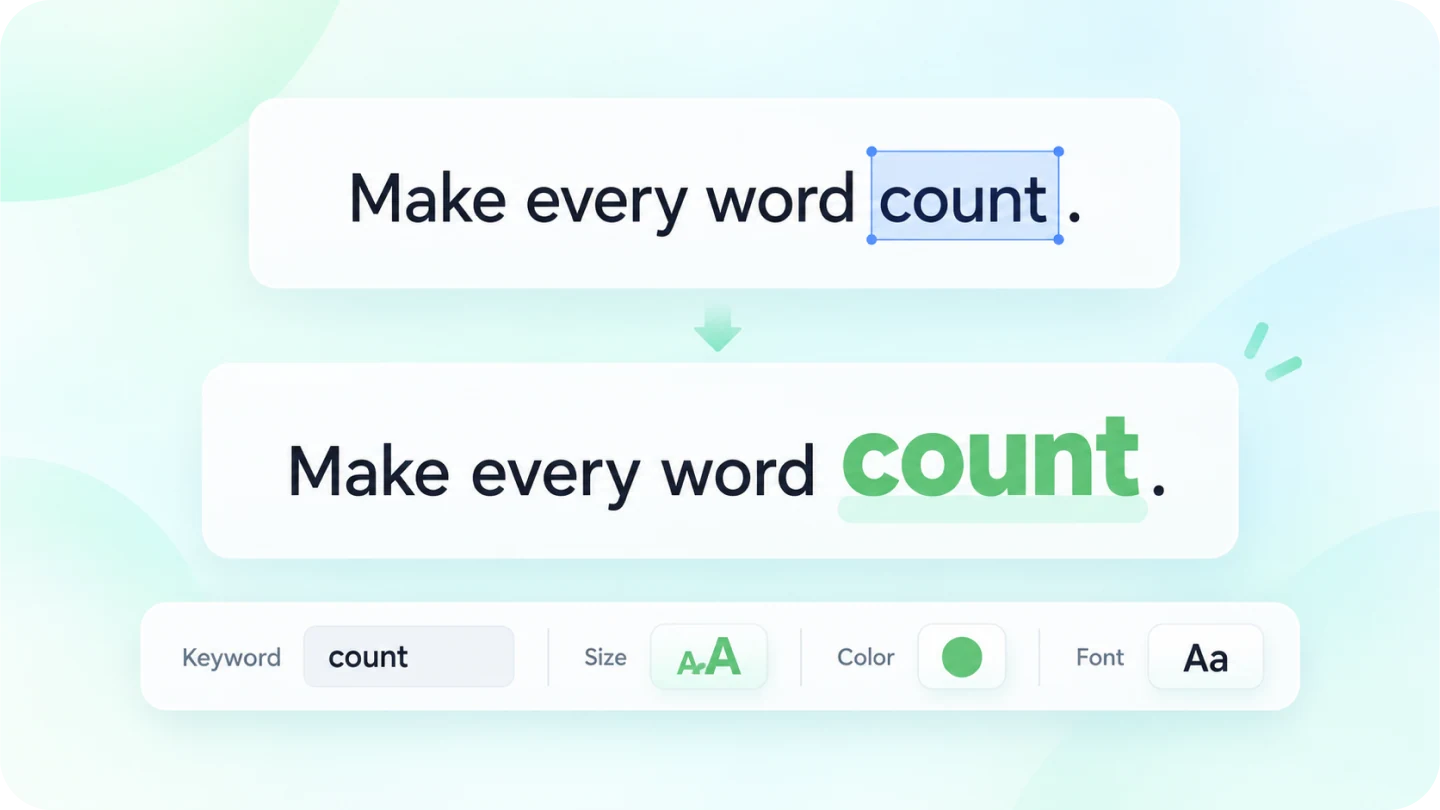
Select the key word in a sentence and enlarge it, change its colour or swap its font to pull the viewer’s eye to the main point.
- Select a few words and style them on their own
- Enlarge, recolour or change the font
- Leave the rest of the text as it is
Style one line,
set the look for the whole video.
Start from captions you have already generated, adjust the style, then apply the same look to the other lines.
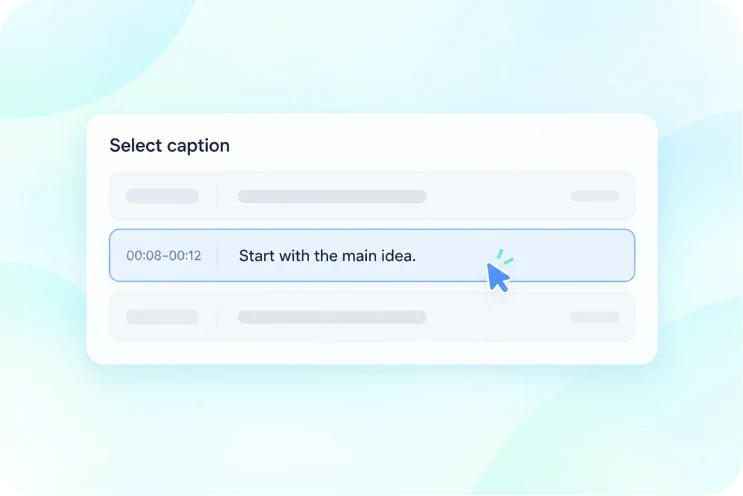
Select the caption to adjust
Click a caption in the preview area or on the timeline.
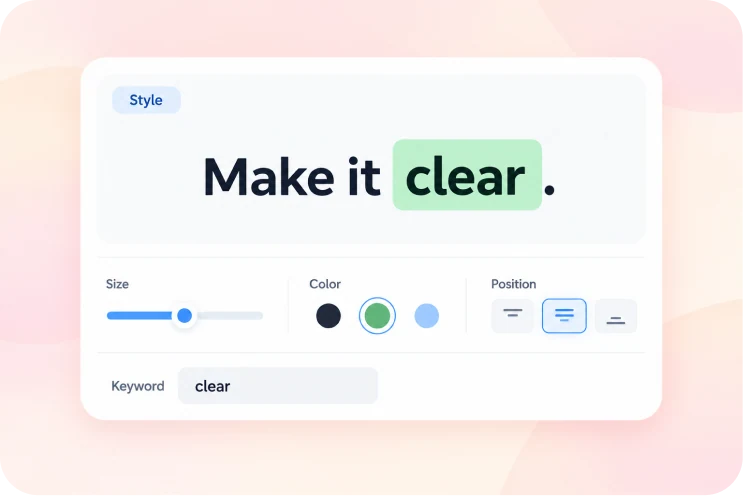
Adjust the style
Change the size, colour and position, or apply a styled text preset; key words can be styled on their own.
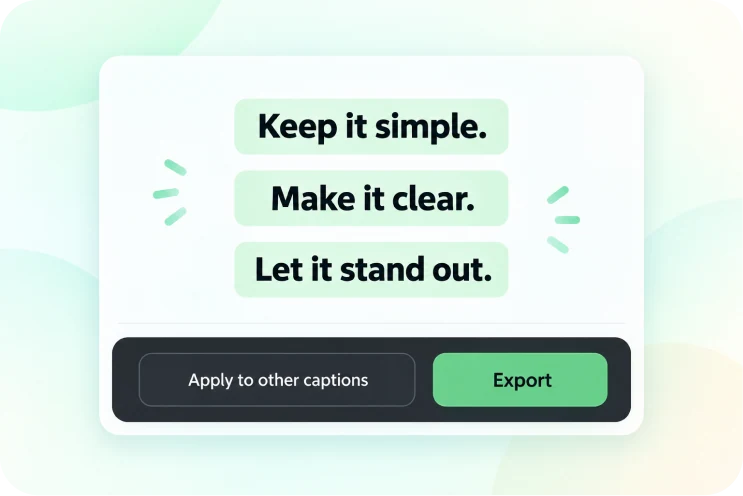
Apply it consistently and export
Use the same style on the other lines, then export once the overall result is right.
WHY AIXCUT
Caption styling stays in the project, ready to change.
Caption styling is not fixed once it is done: it lives in the project, linked to the picture and the timeline. Change one line without exporting again. Material analysis is charged once and editing tasks are charged per run.
Linked to the picture and the timeline
Caption styling stays in the project. Change one line without exporting again.
Styling does not use credits
Adjusting caption style is an editing action, not an AI action, so it does not use credits.
Material analysis is charged once
Material analysis is charged once, and editing tasks are charged per run.
Style editing and billed tasks are separate. Adjusting caption style does not use credits; material analysis is charged once and editing tasks are charged per run.
USER REVIEWS
User reviews
The content below is a clear placeholder, waiting on real user feedback, and does not represent actual reviews.
Testimonial placeholder
Short video and feeds · content to followTestimonial placeholder
Ecommerce and sales videos · content to followTestimonial placeholder
Knowledge and courses · content to followGOOD QUESTIONS. CLEAR ANSWERS.
About subtitle styling,
a few things you may want to know.
Caption styling, key word emphasis and credit rules, worth knowing before you start.
Do I have to build the styled text myself?
No. Apply a ready-made style, then change the colour, size and way it appears.
Will the changes affect other lines?
You can adjust a single line, or apply a confirmed style to the other captions.
Can key word emphasis apply to just a few words?
You can select the key word in a sentence and style it on its own, leaving the rest of the text unchanged.
Does landscape and portrait placement need separate work?
Preview each one and check the position of the subject and the areas platform interfaces occupy, then adjust the caption position.
How many credits does this use?
Adjusting caption style does not use credits; material analysis is charged once and editing tasks are charged per run.