
AI Ad Script Generator
AI ad script generator
One selling point, several
angles ready to shoot.
Use Aixcut to explore ways to present your product. Provide the selling points and the intended audience, ask for different creative angles, and develop your chosen direction into a script.
Demo visuals only — not connected to a live service.
Use Cases
One piece of content,
several ways to open it.
A product, a brand, an opinion or a new market. Lay out the angles first, then decide how the video gets made.

01 / E-commerce
Ecommerce
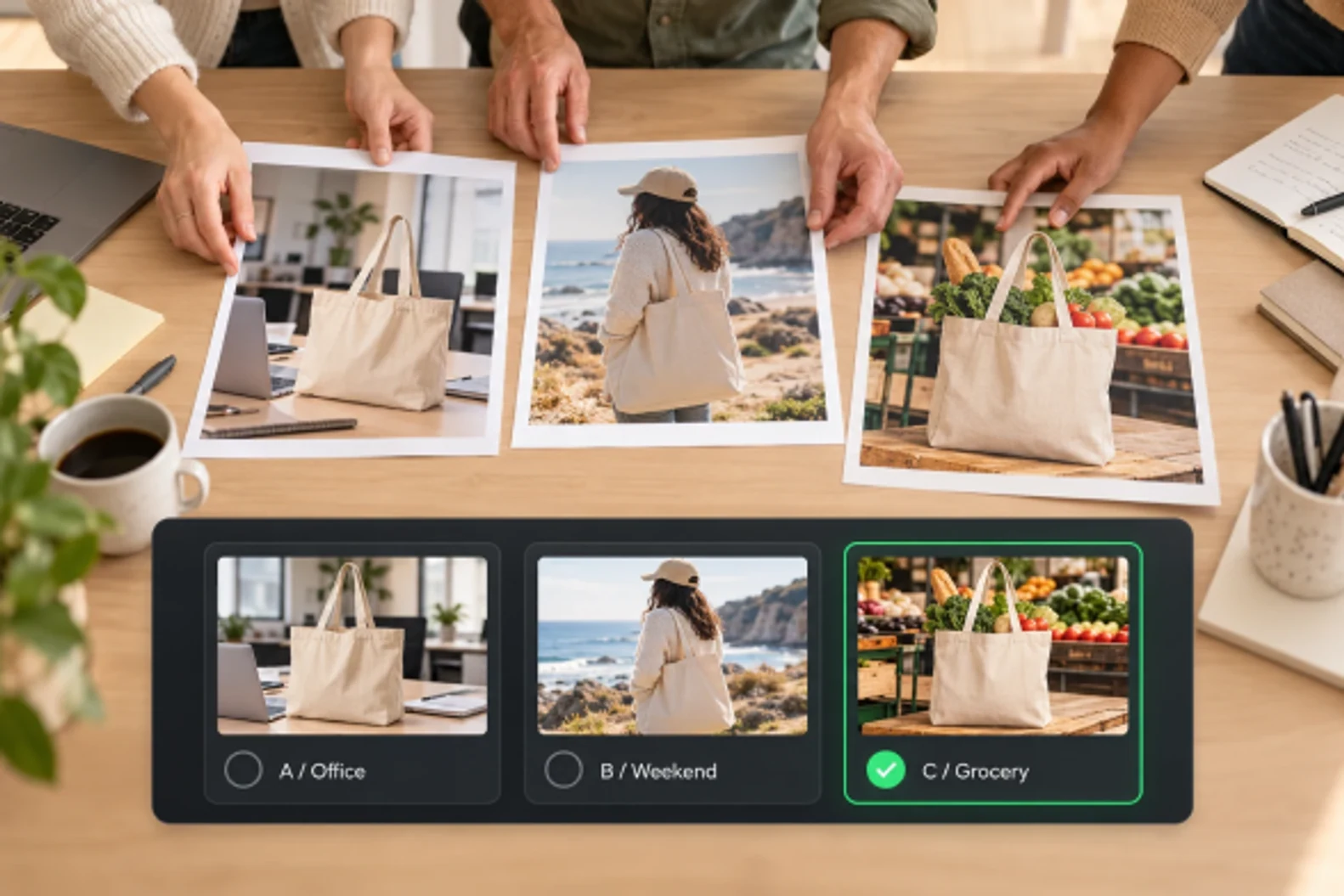
Try several ways to talk about the same product and see which one lands.
02 / Brand & Marketing
Brand and marketing
Ad sets need multiple versions, so map the angles out first.

03 / Creator Content
Talking-head and explainer
The same idea from a different angle stops sounding repetitive.

04 / Global Content
Global and multilingual
Markets react differently to the same selling point, so pin down the angle first.
Core Features
Find the angle first,
then write the video.
From what you want to say to what you actually shoot — give the idea both content and pictures.

01 / Creative Angles
One topic,
several ways in
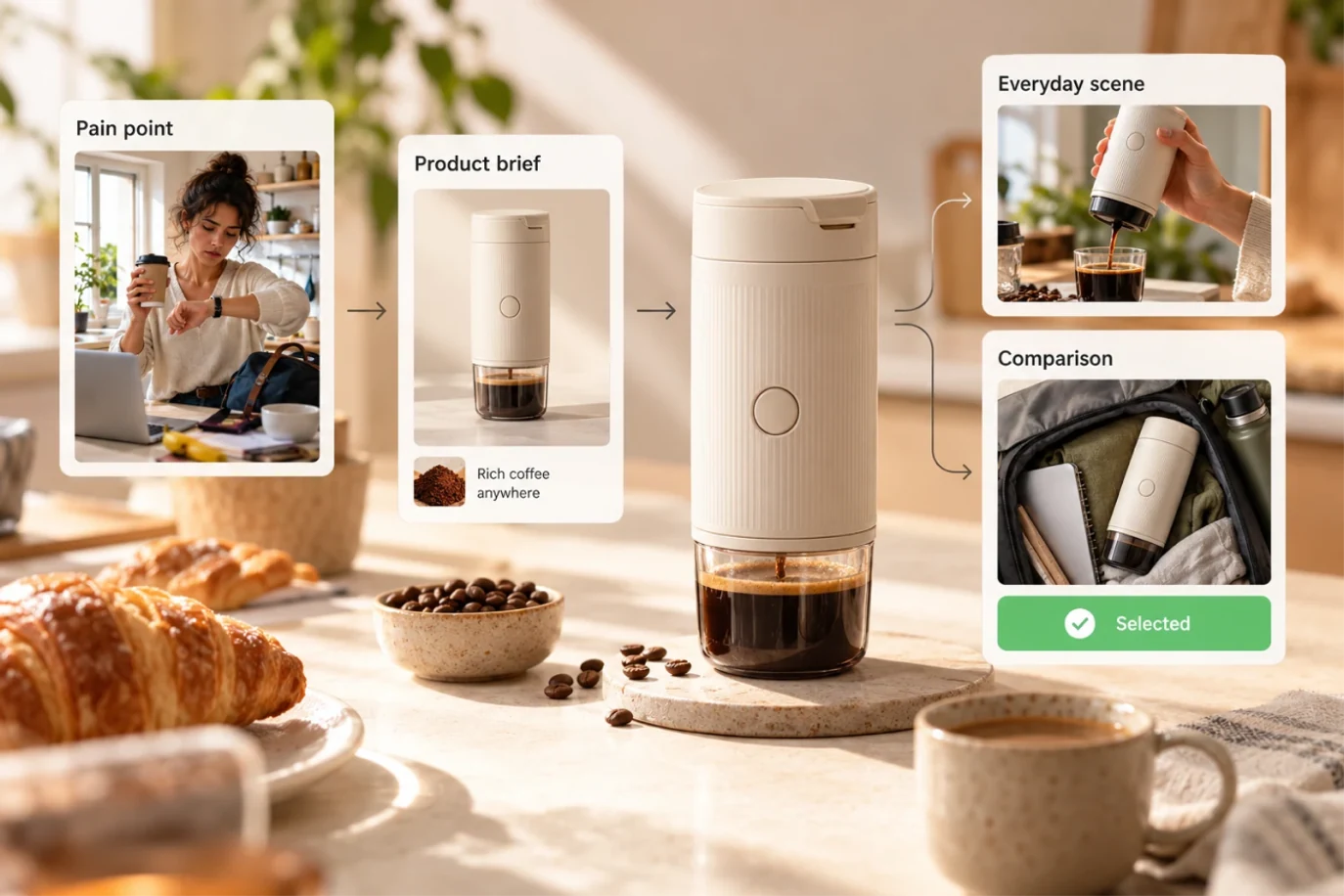
Get several ways into the same topic — a pain point, a comparison, a scene demo, a hands-on test. Lay the options out and pick the one that fits this video.
- Pain point: name the problem first
- Before and after: show the change
- Scene and demo: put it on screen
02 / Selling Point to Scene
Not just adjectives —
angles you can actually film
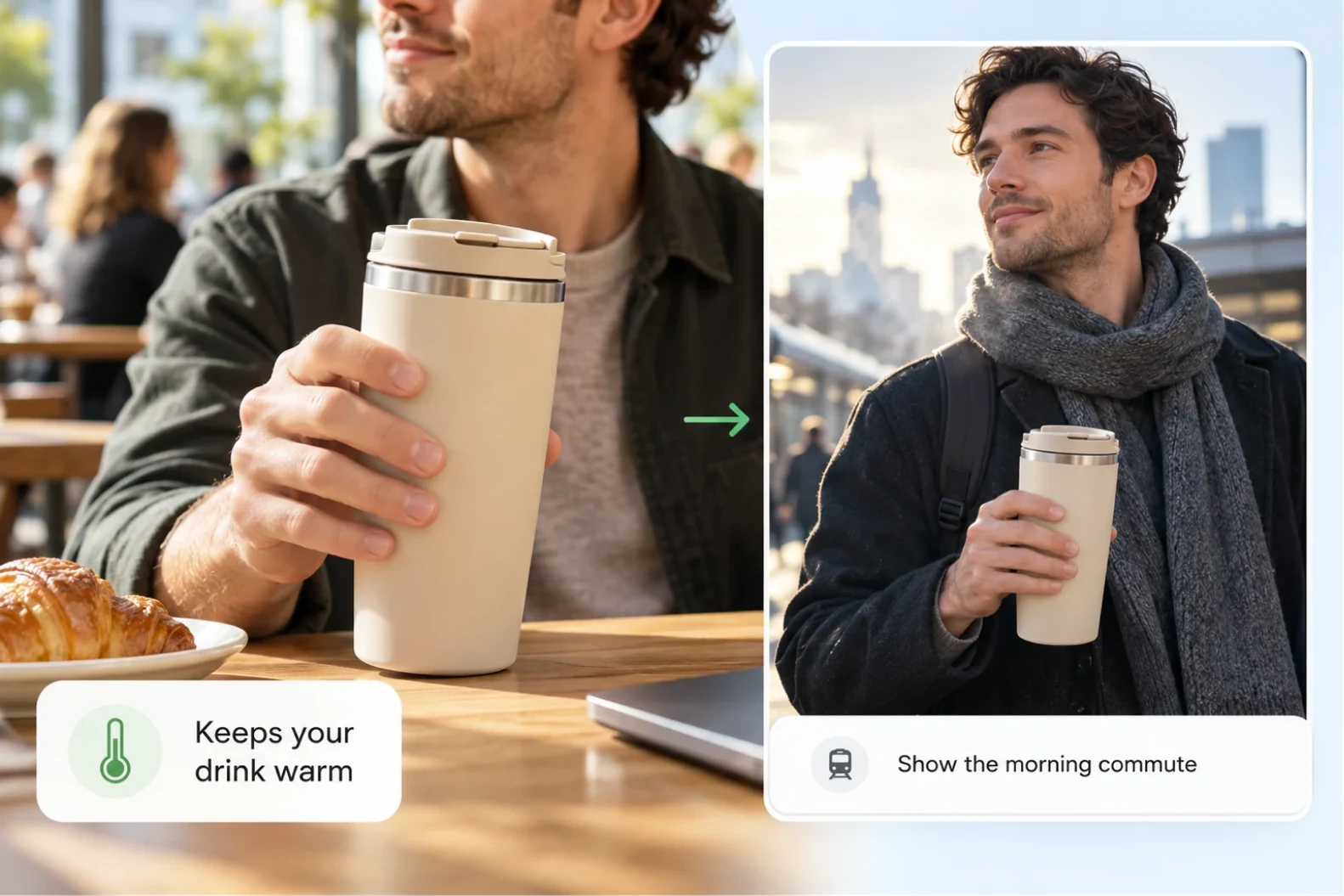
Enter the selling points and get angles you can film. Each one puts the product in a real scene and says what to show and what to say.
- Selling points in a real scene
- Every angle has actual content
03 / Angle to Script
Pick an angle,
write the whole thing
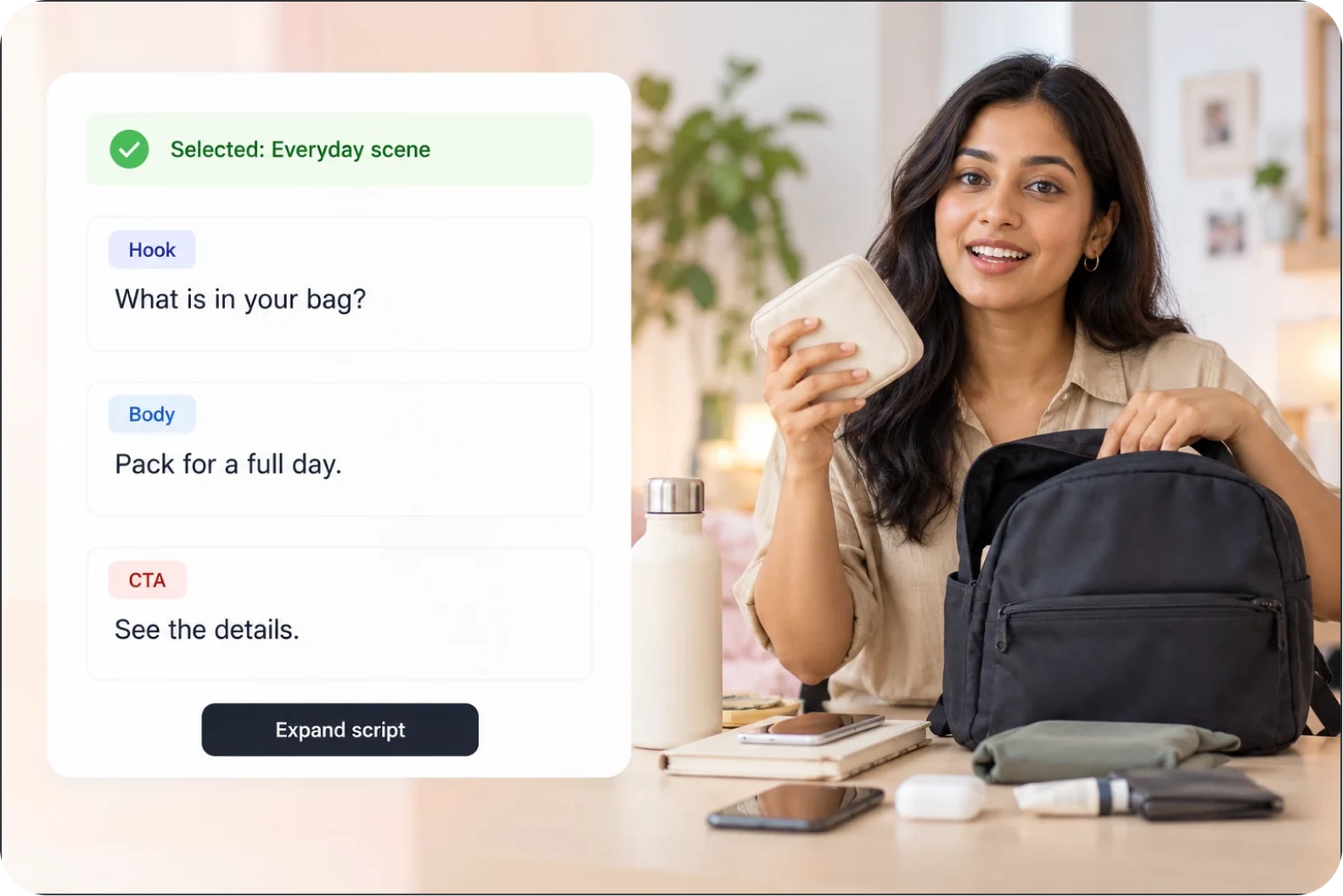
Pick an angle and it becomes a full script with an opening, a body and a close. Once the direction is set, keep going without reworking the idea again.
- Opening: enter from the chosen angle
- Body: make the main point clear
- Close: land the idea or prompt action

04 / Audience Matters
Change the audience,
change the wording
Set who the video is for, and the examples and phrasing change with it. Before choosing an angle, be clear about who is watching.
- Set the audience and the platform
- Examples that match how they use it
How It Works
Four steps from selling point to script.
Describe the product clearly, let the angles appear together, then pick one and keep going.
Describe your product
Provide accurate product details, your audience and the message you want to communicate.
Explore creative angles
Ask for different approaches — a problem to solve, a product demo, or a supported comparison.
Develop your ad script
Choose an angle and expand it into an opening, a main message and a call to action.
Review before production
Check claims, tone and pacing. Revise the script, then move on to a storyboard or production.
Ideas should not have to wait for inspiration.
Describe the selling points and Aixcut turns them into angles you can shoot, then carries the one you pick straight through — no switching tools in between.
Lay the angles out first
One product can be talked about several ways. See them together and it is easier to pick.
Make the idea filmable
Every angle says what to shoot and what to say. The selling point becomes something you can actually film.
Go straight on after choosing
Set the direction, expand it into a full script, then move into voiceover, storyboard or shooting.
Real user reviews coming soon
Real creator experiences will go here once they are available.
FAQ
Before you start,
a few things worth knowing.
On angles, expanding into a script, and finding the wording that fits.
How many angles do I get at once?
You get several different angles in one pass, and you can generate another batch.
Are the angles just titles?
No. Each one explains its angle and rough content, and expands straight into a full script.
Can I set the audience and the platform?
Yes. Say who it is for and where it will run, and the phrasing adjusts.
What if none of the angles fit?
Add more selling points, reference examples or the style you want, then generate another batch.
Your Next Creative Angle
One video is one chance to be seen.
One more angle is one more chance.
Start from a selling point and find the angle for your next video.
Enter your selling points and generate creative angles